In 2025, the way we visualize and interact with architectural designs is undergoing a profound transformation. Avatar Construction Software (ACS) is emerging as a game-changer, offering immersive 3D building visualization experiences that transcend traditional blueprints and static renderings. Imagine being able to walk through a building before it’s even constructed, experiencing the space, light, and materials as if it were already real. This is the promise of ACS, and this guide will explore its capabilities, practical considerations, and long-term implications for the architecture, engineering, and construction (AEC) industries.
Understanding Avatar Construction Software
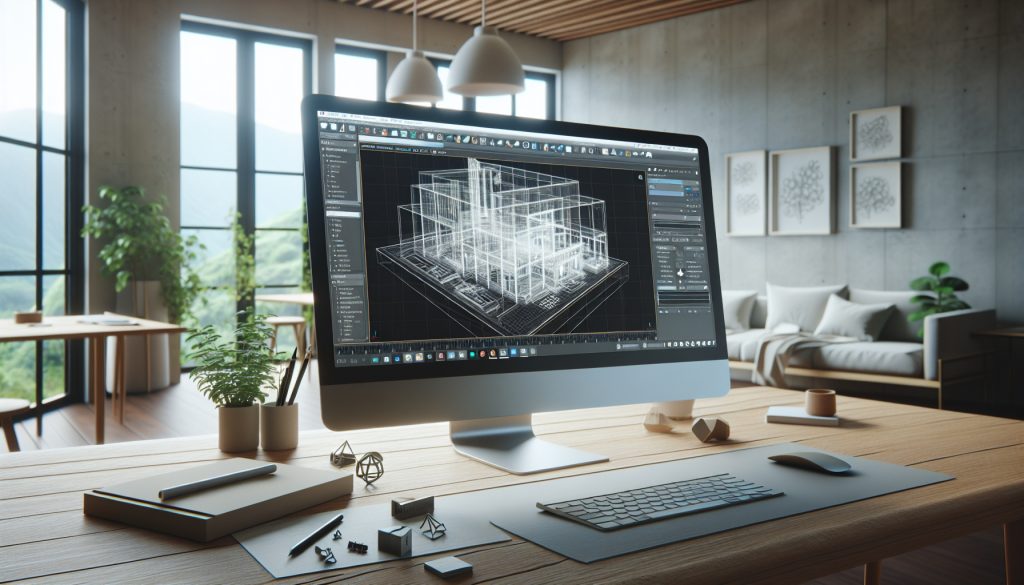
Avatar Construction Software allows users to create realistic, interactive 3D models of buildings and infrastructure projects. These models can then be experienced through virtual reality (VR) headsets, augmented reality (AR) devices, or even standard desktop computers. Unlike static renderings, ACS allows users to move freely within the virtual environment, explore different design options, and collaborate with other stakeholders in real-time.
Key Features of ACS
- Real-time Rendering: ACS utilizes advanced rendering engines to create highly detailed and photorealistic visualizations in real-time.
- Interactive Navigation: Users can freely navigate the virtual environment, exploring different rooms, floors, and outdoor spaces.
- Collaboration Tools: ACS platforms often include built-in collaboration tools, allowing multiple users to view and interact with the model simultaneously.
- Data Integration: ACS can integrate with Building Information Modeling (BIM) data, ensuring that the virtual model accurately reflects the design and specifications of the project.
- Customization Options: Users can customize the virtual environment, changing materials, lighting, and furniture to explore different design options.
Practical Guidance: Choosing the Right ACS
Selecting the right ACS platform requires careful consideration of several factors. Here’s a step-by-step guide to help you choose the best option for your needs:
1. Define Your Requirements
Start by clearly defining your requirements. What types of projects will you be using ACS for? What level of detail do you need? What collaboration features are essential? Understanding your specific needs will help you narrow down your options.
2. Evaluate Different Platforms
Several ACS platforms are available on the market, each with its own strengths and weaknesses. Research different options and compare their features, pricing, and user reviews. Some popular platforms include:
- Unity and Unreal Engine: These are powerful game engines that can be used to create highly realistic and interactive 3D visualizations. They offer a high degree of customization but require significant technical expertise.
- Autodesk Revit Live: This is a cloud-based visualization service that integrates directly with Autodesk Revit, a popular BIM software. It offers a simple and intuitive interface but may not be as customizable as other options.
- Trimble Connect: This is a collaboration platform that includes 3D visualization capabilities. It’s well-suited for large construction projects involving multiple stakeholders.
3. Consider Hardware Requirements
ACS can be resource-intensive, so it’s important to consider the hardware requirements. Make sure your computers and VR/AR devices meet the minimum specifications for the platform you choose. Consider the cost of upgrading your hardware if necessary. The bare minimum for decent VR will require a dedicated GPU with 8GB of VRAM, a modern multi-core CPU and at least 16 GB of system RAM. Ideally, you’ll want to exceed these. For large projects with complex models, workstations with dual GPUs and 64GB+ of RAM may be required.
4. Try Before You Buy
Many ACS platforms offer free trials or demo versions. Take advantage of these opportunities to try out the software and see if it meets your needs. Get hands-on experience with the platform and evaluate its ease of use, performance, and features. Don’t hesitate to request a demo tailored to your specific project type from vendors. This can provide invaluable insight.
5. Check for Integration Capabilities
Ensure that the ACS platform integrates seamlessly with your existing software and workflows. Check for compatibility with BIM software, CAD software, and other design tools. A smooth integration will save you time and effort and reduce the risk of data loss or errors.
6. Training and Support
Consider the availability of training and support resources. Does the vendor offer training courses, tutorials, or documentation? Is there a responsive support team that can assist you with any technical issues? Adequate training and support will ensure that you can effectively use the software and resolve any problems that arise.
Long-Term Considerations
Investing in ACS is a long-term commitment, so it’s important to consider the ongoing costs and responsibilities associated with ownership.
1. Software Updates and Maintenance
ACS platforms require regular updates and maintenance to ensure optimal performance and security. Factor in the cost of software updates, maintenance contracts, and technical support. Consider whether updates are included in the initial purchase price or if they are billed separately. Budget accordingly for ongoing maintenance costs, which can range from 10-20% of the initial software cost per year. Neglecting updates can lead to compatibility issues and security vulnerabilities.
2. Hardware Upgrades
As ACS technology evolves, new hardware may be required to support the latest features and performance enhancements. Be prepared to upgrade your computers and VR/AR devices periodically to stay current with the latest technology. Create a hardware refresh schedule and budget for regular upgrades, typically every 3-5 years.
3. Data Storage and Management
ACS projects can generate large amounts of data, including 3D models, textures, and animations. Ensure that you have adequate storage capacity and a robust data management system to handle this data. Consider using cloud-based storage solutions to provide scalability and accessibility. Implement a clear data backup and recovery strategy to prevent data loss. A robust data management system is crucial for collaboration and version control.
4. Training and Skill Development
ACS requires specialized skills and knowledge. Invest in training and skill development for your team to ensure that they can effectively use the software and create high-quality visualizations. Consider providing ongoing training to keep your team up-to-date with the latest features and best practices. Encourage employees to pursue certifications to demonstrate their expertise.
5. Security Considerations
ACS models often contain sensitive information about building designs and infrastructure projects. Implement appropriate security measures to protect this data from unauthorized access or disclosure. Use strong passwords, encrypt sensitive data, and restrict access to authorized personnel. Conduct regular security audits to identify and address any vulnerabilities. Consider implementing multi-factor authentication for added security.
6. Licensing Costs
Understand the different licensing options available and choose the one that best suits your needs. Common licensing models include:
- Perpetual License: You pay a one-time fee for the software and can use it indefinitely.
- Subscription License: You pay a recurring fee (monthly or annually) for the software and access to updates and support.
- Cloud-Based License: You pay a recurring fee for access to the software and storage on a cloud platform.
Carefully evaluate the costs and benefits of each licensing model before making a decision. Consider the long-term cost of ownership and the flexibility of each option.
Table: Comparison of ACS Platforms (Example)
| Platform | Pricing Model | Ease of Use | Customization | Integration | Hardware Requirements |
|---|---|---|---|---|---|
| Unity | Subscription/Perpetual | Difficult (Requires coding) | High | Wide range of plugins | High |
| Unreal Engine | Subscription/Perpetual | Difficult (Requires coding) | High | Wide range of plugins | High |
| Autodesk Revit Live | Subscription | Easy | Medium | Seamless with Revit | Medium |
| Trimble Connect | Subscription | Medium | Low | Good with Trimble products | Medium |
The Future of ACS
Avatar Construction Software is poised to revolutionize the AEC industries. As technology advances, we can expect to see even more sophisticated and immersive visualization experiences. Some potential future developments include:
- AI-Powered Design: ACS could be integrated with artificial intelligence (AI) to automatically generate design options and optimize building performance.
- Holographic Displays: Holographic displays could allow users to view 3D models without the need for VR/AR headsets.
- Real-Time Data Integration: ACS could be integrated with real-time data from sensors and IoT devices to provide insights into building performance and occupancy.
- Advanced Haptics: Integration with haptic feedback systems will allow users to “feel” the textures and surfaces in the virtual environment, enhancing the sense of realism.
The possibilities are endless, and ACS is likely to play an increasingly important role in the design, construction, and operation of buildings and infrastructure in the years to come.
FAQ
- What are the primary benefits of using Avatar Construction Software?ACS offers enhanced visualization, improved collaboration, reduced errors, and better communication throughout the building lifecycle. It allows stakeholders to experience the design in an immersive environment, leading to better decision-making.
- What skills are required to effectively use ACS?Depending on the platform, skills in 3D modeling, BIM software, and potentially coding (for platforms like Unity and Unreal Engine) are beneficial. Basic computer literacy and an understanding of architectural design principles are essential.
- How does ACS improve collaboration in construction projects?ACS facilitates real-time collaboration by allowing multiple users to simultaneously view and interact with the 3D model. This enables architects, engineers, contractors, and clients to communicate more effectively and resolve design issues early in the process.
- What are the main challenges of implementing ACS in a construction company?Challenges include the initial investment in software and hardware, the need for employee training, and the integration of ACS with existing workflows. Data security and the management of large 3D models can also be significant challenges.
- Can ACS be used for existing buildings, not just new constructions?Yes, ACS can be used for visualizing existing buildings through techniques like 3D scanning and photogrammetry. This allows for creating accurate digital twins of existing structures, useful for renovations, facility management, and historical preservation.
Disclaimer: This information is for informational purposes only and should not be considered professional advice. Prices and features are accurate as of 2025 and are subject to change.
Sources
- Autodesk. (n.d.). Building Information Modeling (BIM). Retrieved from Autodesk Website.
- Unity Technologies. (n.d.). Unity Real-Time Development Platform. Retrieved from Unity Website.
- Epic Games. (n.d.). Unreal Engine. Retrieved from Unreal Engine Website.
Avatar Construction Software represents a significant leap forward in 3D building visualization. By offering immersive, interactive experiences, ACS empowers stakeholders to make better decisions, collaborate more effectively, and ultimately create better buildings. Choosing the right ACS platform requires careful consideration of your specific needs, hardware requirements, and long-term costs. With proper planning and implementation, ACS can transform the way you design, construct, and operate buildings in 2025 and beyond. Key takeaways include the importance of defining your requirements, evaluating different platforms, considering hardware and software integration, and budgeting for ongoing maintenance and training. Remember to prioritize data security and choose a licensing model that fits your organization’s needs.