In 2025, the digital landscape is increasingly populated by 3D avatars, representing individuals in virtual worlds, games, and even professional settings. From personalized gaming experiences to immersive virtual meetings, 3D avatars offer a new dimension of self-expression and interaction. This comprehensive guide explores the world of 3D avatar creation, providing a detailed overview of the available tools, key features to consider, and the vast creative opportunities they unlock.
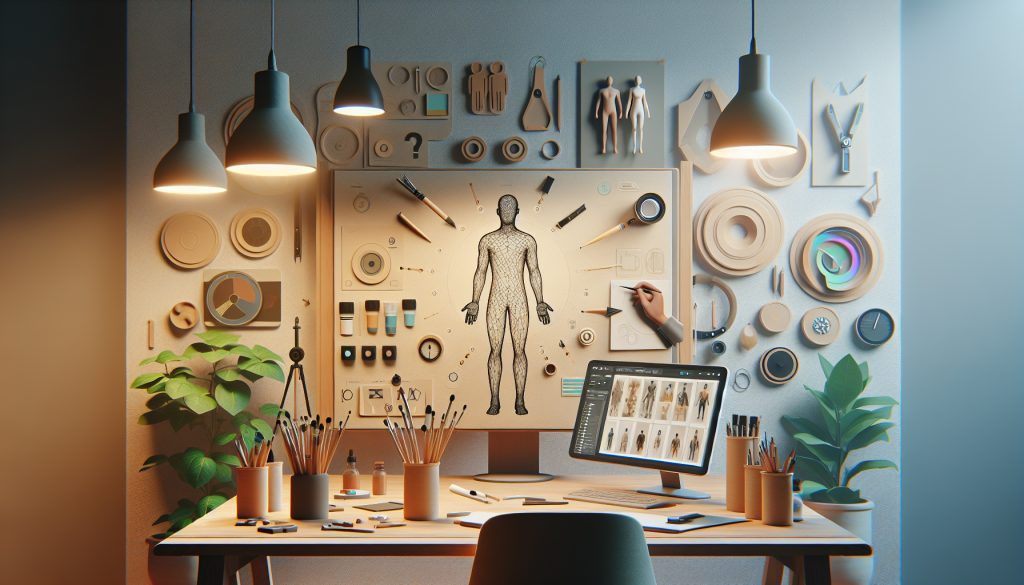
Creating a personalized 3D avatar can be a rewarding experience, whether you’re aiming for a realistic representation of yourself or a fantastical creation. This guide dives into the process, offering practical advice on choosing the right tools and navigating the creative possibilities.
Choosing the Right 3D Avatar Creator
The first step is selecting the appropriate tool. There’s a wide range of options available, each catering to different skill levels and creative goals. Some popular categories include:
- Web-Based Avatar Creators: These browser-based tools offer user-friendly interfaces and often require no prior 3D modeling experience. They are ideal for beginners and those seeking quick avatar creation.
- Mobile Apps: Mobile avatar creators provide accessibility and convenience, allowing users to design and customize their avatars on the go.
- Professional 3D Modeling Software: Software like Blender, Maya, and ZBrush offer advanced customization options and are suitable for users with 3D modeling experience seeking intricate detail and control.
- Game-Specific Avatar Creators: Many games offer built-in avatar creation tools, allowing players to personalize their in-game characters.
Key Features to Consider
When evaluating 3D avatar creators, consider these essential features:
- Customization Options: Look for tools that offer a wide range of customization options for facial features, body shape, clothing, accessories, and hairstyles.
- Rigging and Animation: If you plan to use your avatar for animation or virtual reality, ensure the tool supports rigging and animation features.
- Export Formats: Check the supported export formats to ensure compatibility with the platforms or applications you intend to use your avatar with.
- Ease of Use: Consider the user interface and learning curve of the tool, especially if you’re a beginner.
- Cost: Avatar creation tools range from free to premium options with varying subscription models.
Long-Term Considerations
Before committing to a specific avatar creator, think about the long-term implications:
- Platform Compatibility: Ensure your chosen avatar is compatible with the platforms you intend to use it on, both now and in the future.
- Updates and Maintenance: Consider whether the software or platform requires ongoing updates or maintenance, and factor in any associated costs.
- Data Storage and Security: Understand how your avatar data is stored and secured, especially if using a cloud-based service.
Exploring Creative Opportunities
3D avatars offer a wealth of creative opportunities:
- Gaming and Virtual Worlds: Represent yourself in online games and virtual worlds with a personalized avatar.
- Virtual Meetings and Conferences: Use your avatar to attend virtual meetings and conferences, adding a personal touch to remote interactions.
- Content Creation: Create animated videos and other digital content featuring your 3D avatar.
- Social Media and Online Communities: Use your avatar as a profile picture or representation of yourself in online communities.
| Feature | Web-Based | Mobile App | Professional Software |
|---|---|---|---|
| Ease of Use | High | Medium | Low |
| Customization | Medium | Medium | High |
| Cost | Free/Subscription | Free/In-App Purchases | Subscription/One-Time Purchase |
Ready Player Me is an example of a popular web-based avatar creator. Blender is a powerful open-source 3D creation suite for advanced users.
Frequently Asked Questions (FAQ)
Q: Can I use my 3D avatar across different platforms?
A: Compatibility depends on the avatar creator and the platforms you intend to use. Some avatars are designed for specific platforms, while others offer broader compatibility.
Q: How much does it cost to create a 3D avatar?
A: There are free avatar creators available, as well as premium options with varying subscription models or one-time purchase fees.
Q: Do I need any special skills to create a 3D avatar?
A: No, many user-friendly tools are available for beginners. However, advanced customization may require 3D modeling skills.
Q: Can I animate my 3D avatar?
A: Some avatar creators offer rigging and animation features, allowing you to bring your avatar to life.
Q: What file formats are typically used for 3D avatars?
A: Common formats include FBX, GLB, VRM, and OBJ.
Disclaimer: This information is for educational purposes only and does not constitute professional advice. Features and pricing of mentioned software are subject to change.
Sources:
- Ready Player Me Documentation
- Blender Documentation
- Metaverse Market Report
- Global Virtual Reality Market Size
Creating a 3D avatar opens up a world of creative possibilities in the digital realm. By understanding the available tools, key features, and long-term considerations, you can embark on your avatar creation journey with confidence. Whether you’re a beginner or an experienced 3D modeler, there’s an avatar creator out there to help you bring your digital self to life.